
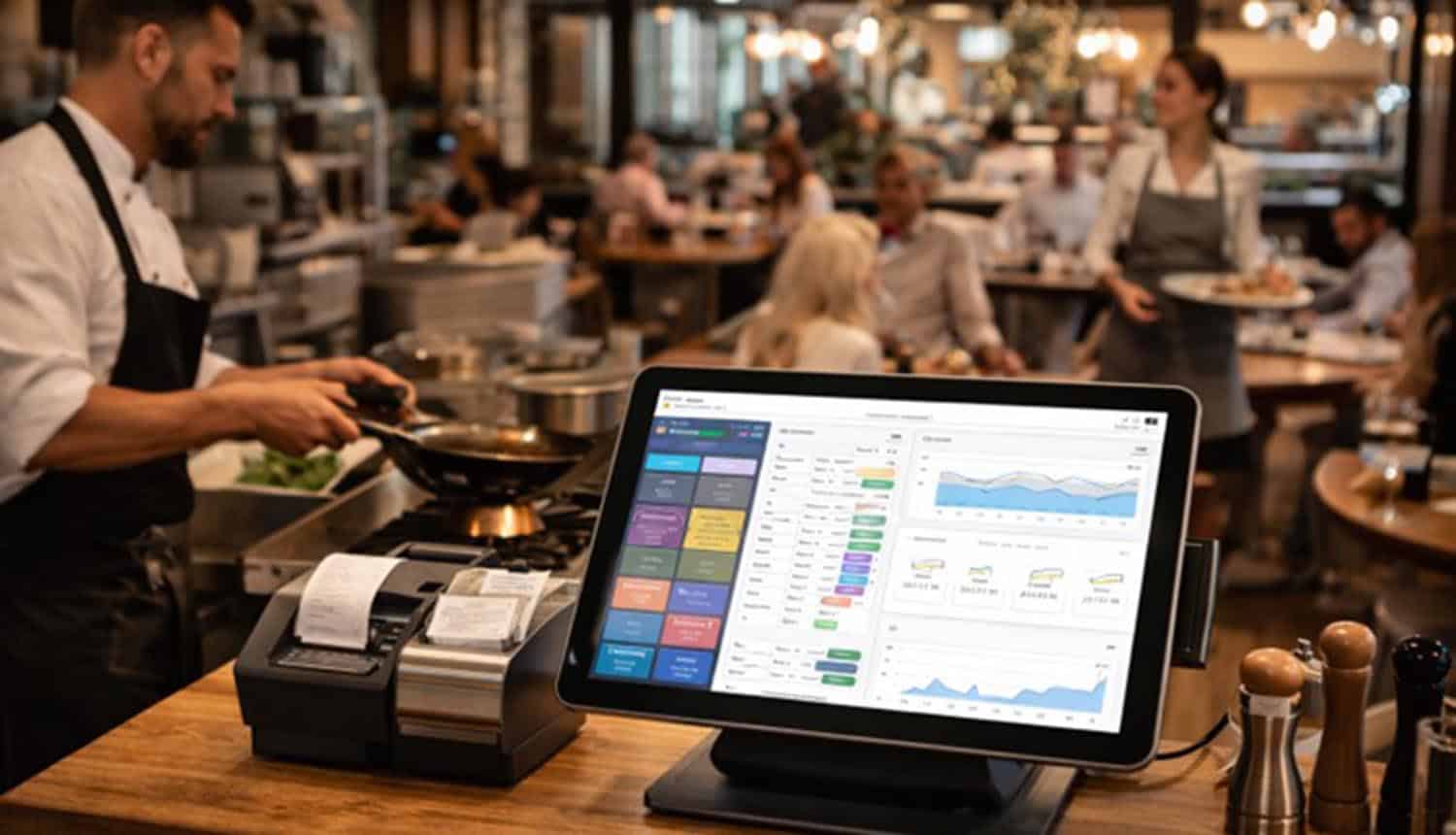

If you’ve ever wondered what EPOS systems’ meaning actually is, think of EPOS as the “operating nerve center” of a restaurant: the place where orders, payments, staff actions, and daily performance data come together in one workflow. For owners, operators, and managers, understanding EPOS isn’t about learning tech jargon; it’s about gaining control over speed, accuracy, accountability, and the guest experience.
The conversation gets confusing because people often use EPOS and POS interchangeably. In day-to-day restaurant life, that overlap is real. Still, the best way to think about it is simple: a POS system is the broader category, and EPOS is the electronic version designed to capture, process, and track transactions and operations in real time. In practice, both terms lead you to the same place: a system that sits between the guest experience and your business performance.
Why “meaning” matters: EPOS is not just a cash register
Many restaurants still describe their POS as “the till.” That mindset quietly limits what the system can do for you. A cash register records a sale. An EPOS/POS ecosystem can help you:
- Reduce order mistakes and comped meals
- Speed up table turns without rushing guests.
- Understand what’s actually profitable (not just popular)
- Tighten inventory and reduce waste.e
- Improve labor scheduling and accountability.
- Protect margins with smarter discount control.s
When operators stop viewing POS as a payment tool and start seeing it as an operational system, performance improvements follow naturally, often without changing the menu or raising prices.
The real job of POS systems in a restaurant
At a high level, POS systems for restaurants exist to move information cleanly and quickly between four points:
- Guest intent (what they want)
- Kitchen/bar execution (what needs to be made)
- Payment (how it’s settled)
- Management insight (what it means for the business)
When that flow is smooth, service feels effortless. When it breaks, you see the symptoms immediately: long waits, wrong modifiers, missing items, surprise shortages, and end-of-day totals that don’t add up.
Here’s the key: a POS doesn’t “fix” a restaurant, but it can reinforce good habits and make weak habits more expensive. That’s why owners should evaluate it through the lens of operations, not features.
The shift to cloud: why so many restaurants are rethinking their setup
Much of today’s discussion centers on cloud-based restaurant POS systems, and for good reason. The cloud shift is less about trendiness and more about how modern restaurants work:
- Your managing staff, who may not be in the same place every day
- You’re handling changing demand patterns (events, weather, seasonality)
- You’re coordinating on-premise dining, takeaway, and delivery.
- You’re balancing tighter margins and higher expectations.s
Cloud-based systems typically support faster updates, easier multi-device use, and more flexible reporting. For owners, the operational value usually shows up in three practical areas:
1) Visibility without micromanaging
Being able to see sales performance, voids, comps, labor snapshots, and product mix without physically standing at the counter reduces stress and improves decision-making.
2) Consistency across shifts
Restaurants are “shift businesses.” A well-structured system helps keep actions consistent: how discounts are applied, how voids are documented, how tabs are closed, how refunds are handled.
3) Integration readiness
Most restaurants now rely on multiple tools: online ordering, reservations, loyalty programs, accounting, inventory, and kitchen display systems. Cloud environments often make it easier to keep data aligned, though alignment still depends on good setup and discipline.
What the “best” really means (without turning this into a shopping guide)
Owners often search for the best pos systems for restaurants. The challenge is that “best” isn’t universal. It depends on your service style, menu complexity, staff experience, and risk tolerance.
Instead of focusing on brand rankings, define “best” as:
The system that protects your margins while reducing friction for guests and staff.
A practical way to evaluate “best” is to measure whether the system supports these business outcomes:
- Accuracy: fewer remakes, fewer comps, fewer “we forgot” moments
- Speed: quicker ordering and payment without feeling rushed
- Control: clearer permissions, cleaner discount rules, better audit trails
- Insight: reports you actually use, not dashboards you ignore
- Resilience: a plan for downtime, connectivity issues, or device failures
- Trainability: staff can learn it fast, and mistakes are harder to make
If a system makes your best employees faster but your average employees more error-prone, it’s not truly “best” for a real-world restaurant environment.
The operational features that quietly make or break performance
Restaurant tech discussions often get lost in feature lists. Here are the capabilities that actually move the needle because they change behavior:
Modifier logic that matches how people order
Guests don’t order in perfect patterns. They want substitutions, half portions, allergies, extra sauces, “no onion,” “on the side,” “split the protein.” A well-structured modifier reduces confusion and kitchen friction.
Table and check flexibility
Split checks, partial payments, moving seats, merging tables, handling walk-ins, these are daily realities. A system that handles them cleanly protects both service quality and staff morale.
Discount discipline and accountability
Discounts aren’t just marketing; they’re a leak risk. Clear rules for promos, staff meals, comps, and manager approvals protect margins while keeping staff confident about what’s allowed.
Kitchen communication that reduces rework
Whether you use printers or a kitchen display system, the goal is the same: clarity. If the kitchen receives clean tickets with correct timing and modifiers, you’ll feel it in fewer delays and fewer remakes.
Reporting that supports decisions, not guilt
The best reporting isn’t about catching people out, it’s about revealing patterns: which items sell but underperform, which hours are overstaffed, which discounts correlate with errors, which servers need more support.
A simple “POS health check” for owners and managers
If you already have a POS, you can still improve outcomes without changing anything—by checking how it’s being used.
Ask yourself:
- Do we trust our sales and labor reports enough to make decisions weekly?
- Are voids and comps tracked with clear reasons and approvals?
- Do staff understand modifier rules, or do they improvise?
- Is the menu set up cleanly, or is it a patchwork of old items and quick fixes?
- Are we using the system to reduce training time, or are we adding workarounds?
- Can we handle a busy Friday if the internet slows down?
If you’re answering “not really” to several of these, it’s not a failure; it’s a sign your operation has outgrown your current setup or habits.
The bigger picture: POS as a management discipline
A restaurant is a live environment: people, timing, emotion, appetite, and expectation. The POS is one of the few places where those moving parts get translated into something measurable and manageable.
When your team uses the system consistently, three good things happen:
- Guests feel the difference (service is smoother and more accurate).
- Staff feel supported (less chaos, fewer disputes, clearer processes).
- Owners regain control (decisions become data-informed rather than reactive).
Understanding EPOS “meaning” is ultimately about this: it’s not a gadget. It’s a discipline. The restaurants that treat their POS as a core operational workflow rather than just a payment endpoint tend to run calmer shifts, protect margins more reliably, and adapt faster when conditions change.
